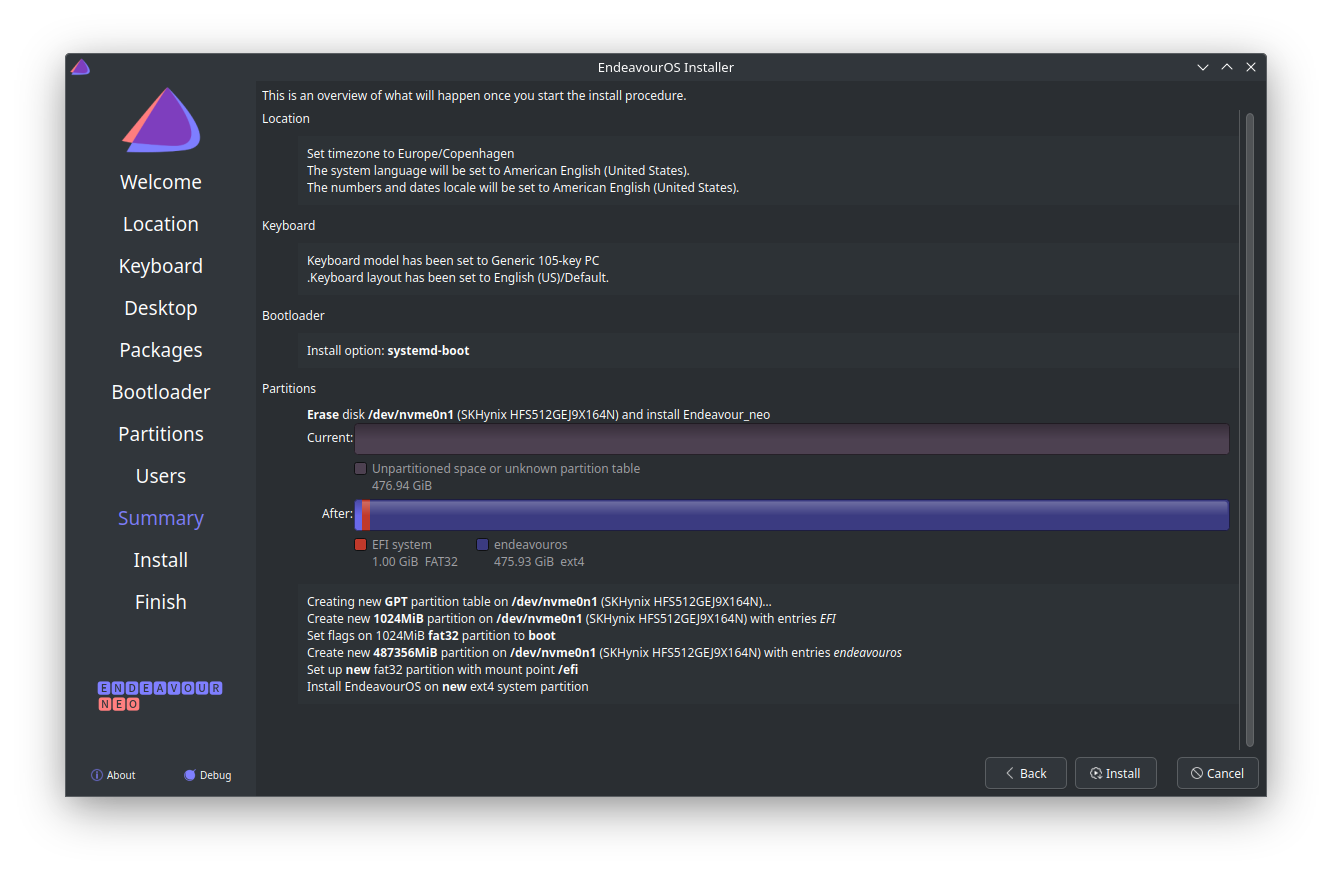
Installer
Backup
pacman/Tips and tricks - ArchWiki
pacman -Qqetn > pkglist.txt
pacman -Qqem > pkglist-aur.txt
Transclude of pkglist-aur.txt
Transclude of pkglist.txt
OS
Instalar pkgs comunes - https://wiki.archlinux.org/title/Pacman/Tips_and_tricks#List_of_installed_packages
# Instalar pkgs anteriores
yay -S --needed - < pkglist.txt

# pkgs AUR
yay -S --needed - < pkglist-aur.txt
Git
git config --global user.name "Marco Richetta"
git config --global user.email marcorichetta@gmail.com
git config --global core.editor nano
git config --global init.defaultBranch main
Generar nueva SSH key https://github.com/settings/keys
ssh-agent
Configurar ssh-agent como un servicio de systemd para no tener que ingresar la passphrase cada vez que hacemos algo con git, por ejemplo.
- https://wiki.archlinux.org/title/SSH_keys#Start_ssh-agent_with_systemd_user
- https://stackoverflow.com/a/38980986
Particiones
/home
nvme0n1
├─nvme0n1p1 vfat    FAT32                        84A1-7D44                             337,6M    34% /efi
├─nvme0n1p2 ext4    1.0              endeavouros 4a19720e-042f-48d9-80ef-3b5c83d35842     69G    25% /
└─nvme0n1p3 ext4    1.0              home        aca2463d-3364-4d0f-8f68-b81902e8380b  123,2G     3% /home
Swapfile
sudo mkswap -U clear --size 8G --file /swapfile
sudo swapon /swapfile
sudoedit /etc/fstab
	/swapfile none swap defaults 0 0
# /etc/sysctl.d/99-swappiness.conf
vm.swappiness = 35Bluetooth
- Instalar dependencias ⇒
pacman -S bluez bluez-utils pulseaudio-bluetooth - Activar servicio de bluetooth ⇒
systemctl start bluetooth.service
En caso de no poder conectarse mediante la UI de KDE, seguir los pasos via CLI https://wiki.archlinux.org/title/Bluetooth_headset#Configuration_via_CLI
Devbox
- Instalar Nix - https://determinate.systems/posts/determinate-nix-installer/
- Instalar Devbox - https://www.jetify.com/devbox/docs/installing_devbox/
curl -fsSL https://get.jetify.com/devbox | bash
- devbox global pull https://github.com/marcorichetta/devbox.git
Starship - https://starship.rs/guide/
- Firacode - https://www.nerdfonts.com/font-downloads
- yay -S ttf-firacode-nerd
dotfiles
Acá básicamente manejo mi /home como un repo git ignorando todos los archivos (*)
cd ~
echo "*" > .gitignore
git init
git remote add origin git@github.com:marcorichetta/dotfiles.git
git fetch
git checkout -f master
Para agregar uno nuevo se hace con git add -f <archivo> o se puede designorar en el .gitignore
Insync
yay insync insync-dolphin- https://aur.archlinux.org/packages/insync/
Python
uv
curl -LsSf https://astral.sh/uv/install.sh | shFirefox
- GitHub - marcorichetta/Firefox-Mod: Configuración de Firefox con algunos hacks de CSS
- https://github.com/yokoffing/Betterfox/
- Login cuentas - Fx, Google, Github
KDE
Accesos rápidos ⇒ Importar esquema ⇒ Esquema personalizado ⇒
Transclude of Accesos-directos-KDE.kksrc
Icons
- Tela Icon theme
KDEConnect
- Deshabilitar firewall para primera conexión
systemctl stop firewalld.serviceYakuake
- Agregar al autoarranque
- Tema: Materia Dark KDE
- Fuente: Noto Mono 12pt
yay ttf-firacode-nerd
Docker
# Install
yay docker docker-compose

# Enable service
systemctl enable docker.service
systemctl start docker.service

# Create docker group
sudo groupadd docker

# Add your user to the docker group.
sudo usermod -aG docker $USER

# Apply groups changes
# Similar to logout and login
newgrp docker

# Finally
docker run hello-world
Pipewire
Tuve problemas con pulseaudio y bluetooth. Classic 1 2 Instalar pipewire en su lugar y reiniciar
sudo pacman -S pipewire pipewire-pulse
Obsidian
Plugins
The Easiest Way to Setup Obsidian Git (to backup notes) - Share & showcase - Obsidian Forum
git config --global credential.helper libsecret- https://github.com/settings/tokens/

- Run the command (CMD/Ctrl + P):
Clone an existing remote repo - Paste the URL of the forked repository in the following format
https://<PERSONAL_ACCESS_TOKEN>@github.com/<USERNAME>/<REPO>.gitFor example it might look like this:
https://ghp_XXXXXXXXXXXXXX@github.com/marcorichetta/notes.git- Then type in the folder you created in step 3 (e.g.
notes/)- This can lead to the error “GitBasePath not set or something like that”
Ctrl+,- Git settings
- Remove the value in Custom Base Path
- Restart Obsidian
- Make edits to your notes
- Publish your notes run the command “Obsidian Git: Create backup”
Kanban Board GitHub - mgmeyers/obsidian-style-settings: A dynamic user interface for adjusting theme, plugin, and snippet CSS variables within Obsidian GitHub - tgrosinger/advanced-tables-obsidian: Improved table navigation, formatting, and manipulation in Obsidian.md Quick Start | Obsidian Reminder Plugin GitHub - liamcain/obsidian-calendar-plugin: Simple calendar widget for Obsidian.
Thinkpad T14s
Lenovo ThinkPad T14 (AMD) Gen 4 - ArchWiki
Fingerprint
Hyprland
GitHub - hyprland-community/awesome-hyprland: Awesome list for Hyprland [maintainer=@yavko] yay -Syu
- kitty
- hyprland
- qt5-wayland qt6-wayland
- brightnessctl (brillo)
hyprlock
yay hyprlock- Seguir pasos de GitHub - catppuccin/hyprlock: 🔒 Soothing pastel theme for Hyprlock
- Agregué imagen en
.config/hypr/background.jpgy modifiqué esa config enhyprlock.conf
hypridle
yay hypridle- Crear config y usar la de ejemplo hypridle – Hyprland Wiki
waybar (status bar)
yay -S waybar
cp -r /etc/xdg/waybar/ .config/waybar

# Notifications
yay -S swaync
exec-once = swaync
rofi-wayland
yay -S rofi-wayland rofi-calc-git # https://github.com/svenstaro/rofi-calc/issues/116#issuecomment-2019064186

# hyprland.conf
$menu = rofi -show drun

Select theme: Dark Blue
GitHub - ndom91/rose-pine-hyprcursor: BreezeX RosePine for Hyprcursor
yay -S rose-pine-hyprcursor

cp -r /usr/share/icons/rose-pine-hyprcursor .local/share/icons/rose-pine-hyprcursor

# hyprland.conf
env = HYPRCURSOR_THEME,rose-pine-hyprcursor
xdg-desktop-portal-hyprland – Hyprland Wiki
yay -S xdg-desktop-portal-hyprland

# ~/.config/xdg-desktop-portal/hyprland-portals.conf
[preferred]
default = hyprland;gtk
org.freedesktop.impl.portal.FileChooser = kde
Electron apps - Wayland
Para que las apps Electron se ejecuten con Wayland, setear la env ELECTRON_OZONE_PLATFORM_HINT.
# hyprland.conf
env = ELECTRON_OZONE_PLATFORM_HINT,auto
Probar ELECTRON_OZONE_PLATFORM_HINT=auto obsidian
Ref: wiki.archlinux.org/title/Wayland#Electron
Clipboard
GitHub - sentriz/cliphist: wayland clipboard manager with support for multimedia
yay -S cliphist

# hyprland.conf

# Clipboard
exec-once = wl-paste --type text --watch cliphist store
exec-once = wl-paste --type image --watch cliphist store

# rofi clipboard (https://wiki.hyprland.org/Useful-Utilities/Clipboard-Managers/#for-rofi-users)
bind = $mainMod, V, exec, cliphist list | rofi -dmenu | cliphist decode | wl-copy
Wlogout
yay -S wlogout

mkdir -p ~/.config/wlogout

cp /etc/wlogout/layout ~/.config/wlogout/

# Cambiar estas 2 para que funcionen con hyprland
{
    "label" : "lock",
    "action" : "hyprctl dispatch exec hyprlock",
    ...
}
{
    "label" : "logout",
    "action" : "sleep 1; hyprctl dispatch exit",
    ...
}
Power button bind
Bind power-button to suspend. · Issue #2614 · hyprwm/Hyprland · GitHub
Files association
Fixing the empty “open with” in Dolphin in Hyprland | Lorenzo Bettini
yay -S archlinux-xdg-menu

# Test executing and opening Dolphin
XDG_MENU_PREFIX=arch- kbuildsycoca6

# .config/hypr/hyprland.conf
env = XDG_MENU_PREFIX,arch-
rofimoji
yay -S rofimoji

# .config/rofimoji.rc
action = copy
files = [emojis, math]
skin-tone = moderate
.config/rofi/config.rasi
- modes: "window,drun,calc,combi,run";
+ modes: "window,drun,calc,combi,run,emoji:rofimoji";
- combi-modes: [window,drun];
+ combi-modes: [window,drun,emoji];
nm-applet
yay -S nm-applet

# .config/hypr/hyprland.conf
exec-once = nm-applet

# .config/waybar/config.jsonc
Add tray module
rofi-bluetooth
yay -S rofi-bluetooth-git

# Select rofi-bluetooth in rofi
hyprsunset - luz cálida
bind = $mainMod, ????, exec, hyprsunset
Screenshot
https://github.com/Gustash/Hyprshot
yay -S hyprshot

# ~/.config/hypr/hyprland.conf

# Screenshot a window
bind = $mainMod, PRINT, exec, hyprshot -m window
# Screenshot a monitor
bind = , PRINT, exec, hyprshot -m output
# Screenshot a region
bind = Shift_L, PRINT, exec, hyprshot -m region
Udiskie
yay -S udiskie

# hyprland.conf

exec-once = udiskie
To do
- Después de suspender la pc y prenderla, no se inicia bloqueada ✅ 2024-10-16
- GitHub - ZigaSajovic/rofi-wifi-menu-plus-plus: An enhanced rofi menu for managing WiFi connections.https://github.com/hyprland-community/awesome-hyprland
- GitHub - gaurav210233/simple-hyprland: A comprehensive guide for transitioning from traditional desktop environments to the minimalist, customizable Hyprland window manager, featuring detailed installation instructions, configuration tips, and troubleshooting advice.